
Maintenance software that gives you a grip on your assets, with AI built in.
CMMS and EAM in one platform: assets, work orders, stock and documents, with AI that reads reports and manuals, recognises parts in a photo and answers questions about your own data. With the source attached, so you stay in charge.
Built for technical teams that need less noise, a clearer overview and better execution.
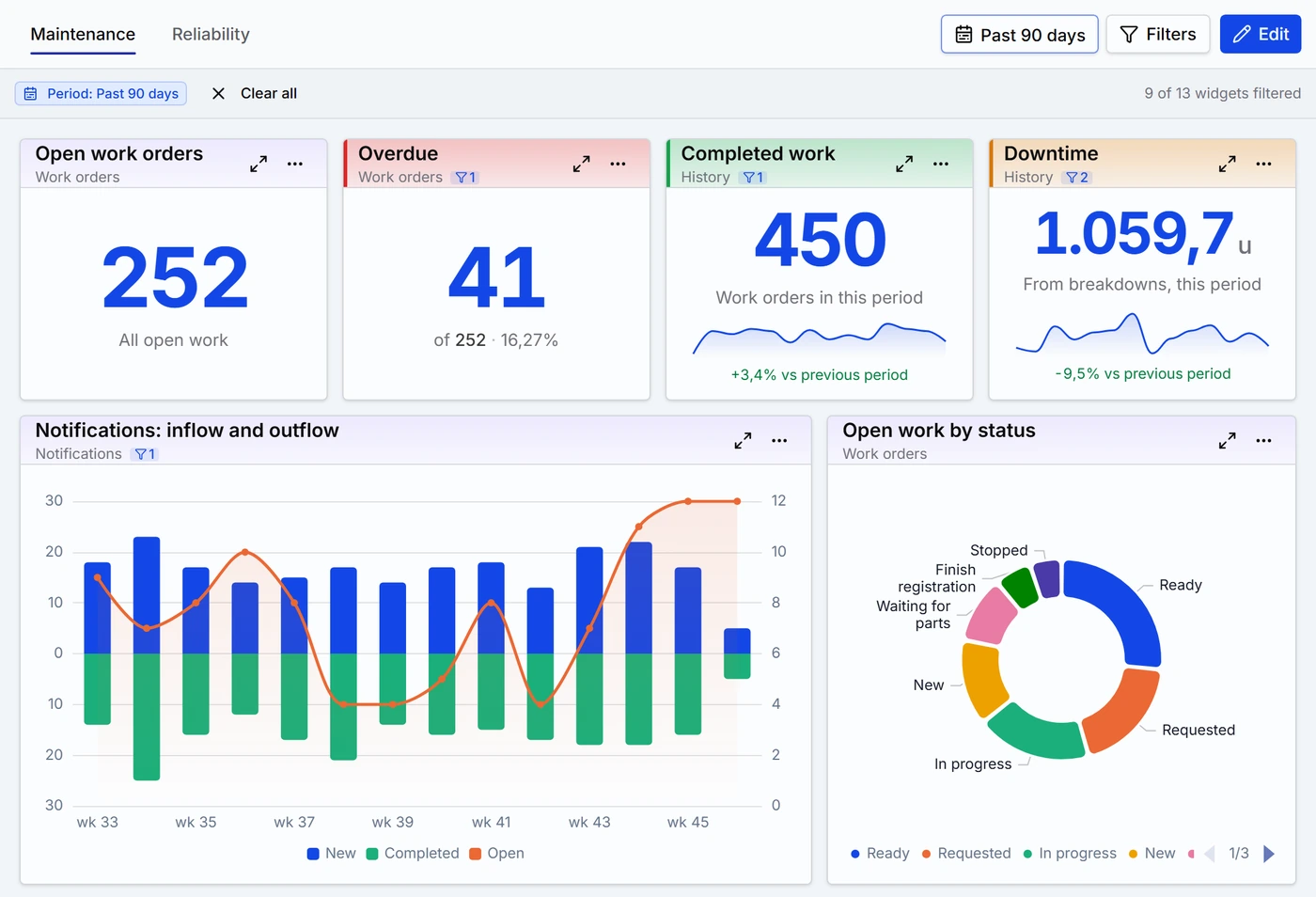
Maintenance gets scattered. TimeQeeper brings it together.
A breakdown sits in an email, the maintenance plan in Excel and the parts in another system. Every job then takes extra searching and the history can't be trusted. In TimeQeeper it is all in one place, for the shop floor and for management.
Maintenance & work orders
Notifications, work orders and preventive maintenance in one place, with the history of every machine, from notification to close-out.
Learn moreRunning hours & monitoring
Running hours and starts come in automatically, so maintenance rounds follow how a machine is actually used instead of a fixed interval.
Learn moreWarehouse & spare parts
Stock and reservations linked to the work order, with a reorder suggestion as soon as stock drops below the reorder point. That makes it less likely that work stalls for lack of materials.
Learn moreReliability & FMECA
Map the failure modes and risk of each machine and translate them into a focused maintenance strategy. That helps reduce the risk of failures.
Learn moreSafety & compliance
Digital permits to work with LOTO measures and last-minute risk assessment (LMRA) questions, linked to the work order. Safe work, with the records to prove it.
Learn moreIntegrations & enterprise
Structured imports and exports, permissions per role and module, a logbook of changes and reliable master data.
Learn moreAI that does the reading. You stay in charge.
TimeQeeper uses AI where maintenance teams lose the most time: reading reports, digging through manuals, searching documents and recognising parts. A proposal shows what it is based on.
- With a source or rationale
- You decide
- Within your permissions
AI at work
1 / 4Source
Boiler 1 inspection report.pdf
p. 7Tube row 3, position 12: measured 3.9 mm, below the specified 4.2 mm.
Proposal
Action point proposed
Economiser wall thickness below limit
“measured 3.9 mm, below the specified 4.2 mm”
Eight AI features in the platform
- MaintenanceAction points from contractor reports
- MaintenanceMaintenance plan from the manual
- ReliabilityFailure modes and strategy in FMECA
- Document managementSearch by meaning
- Document managementScans you can search
- Document managementDocument type and title block
- WarehouseSearch by photo
- PlatformBuddy, the assistant
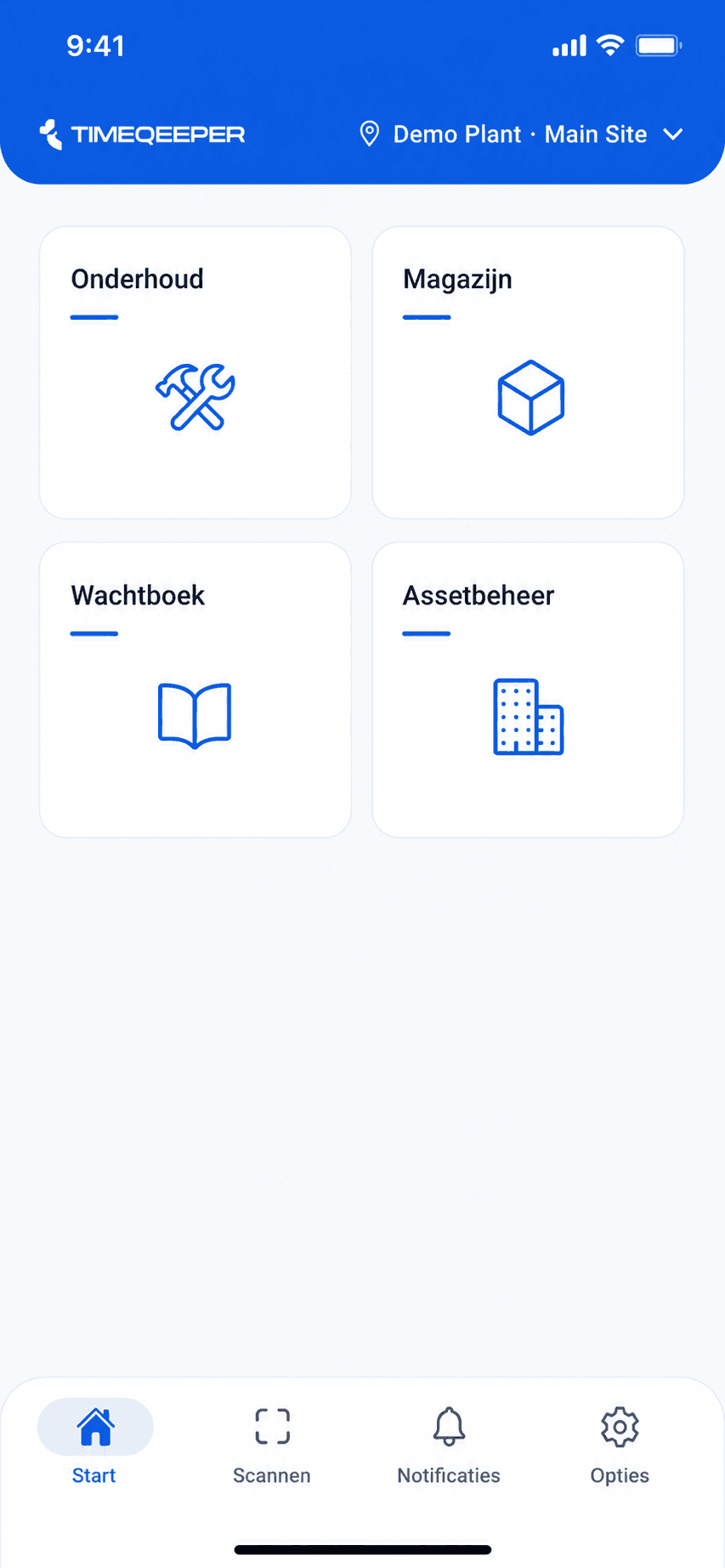
TimeQeeper Pocket: the app for the shop floor.
Scan barcodes at the rack, record stock movements and counts on the spot and raise notifications at the machine. Everything lands in TimeQeeper straight away, with the same permissions.
- Scan barcodes and QR codes with the camera
- Movements, pick lists, counts and receipts
- View work orders and raise notifications on the floor
- Two-step verification and biometric locking
From asset structure to improvement, in one continuous flow.
Every step builds on the previous one, so each machine shows what was planned, what was done and what you learned from it.
- Asset
- Data
- Plan
- Work order
- Task
- Parts & permits
- Execution
- History
- Improve
What you learn goes back into the plan
Built for the toughest technical environments.
From industrial installations and waste processing to manufacturing, logistics and energy: TimeQeeper is made for places where maintenance, downtime and safety truly matter. For specific installations we build dedicated modules, and FurnIQ is the first example.
FurnIQ: a clickable digital twin of your furnace.
FurnIQ builds the twin from your own inspections and measurements: wall thicknesses, the refractory lining, photos and replacements, recorded on a drawing of your installation. Click a zone, tube or grate block and see its history and latest inspection data.
- Clickable zones, tubes and grate blocks
- Wall thickness and condition in colour on the map
- Inspection and replacement history per spot

From technician to boardroom.
Everyone works from the same, up-to-date information.
- Head of maintenance
- Control over work orders, planning, technicians and backlogs.
- Technician
- Notifications, work orders and your work list on your phone, at the machine.
- Reliability engineer
- Failure modes and strategy based on your own maintenance data.
- HSE / safety manager
- Safety linked to execution, not running alongside it.
- Warehouse / procurement
- Spare parts connected to the actual maintenance demand.
- Plant manager / management
- Maintenance, costs and risks in view, without slowing operations.
Born from the reality of technical maintenance.
TimeQeeper was built from technical environments where knowledge and maintenance information were scattered across people, systems and spreadsheets. That led to a single platform for maintenance, assets and parts, usable for the shop floor and for management.
Permissions per role and module
For each module you decide who may read, write, delete or administer.
Logbook of changes
See who changed what, and when, in a searchable logbook.
Modular & extensible
Start with maintenance and expand to warehouse, FMECA, permits and more.
Frequently asked questions about maintenance software
What is maintenance software?
Maintenance software helps you plan, carry out and record maintenance: notifications, work orders, preventive rounds, parts and the history of every asset. Such a system is often called a CMMS. Read more in what is a CMMS?
Is TimeQeeper a CMMS or an EAM system?
Both. The Maintenance module does what you expect from a CMMS: notifications, work orders and preventive maintenance. Together with asset management, warehouse, purchasing, documents and planning it forms an EAM platform that follows your assets through their whole life. The difference is explained in CMMS vs EAM.
Which organisations is TimeQeeper for?
Technical departments and maintenance teams in asset-intensive sectors, such as waste processing, energy, industry, manufacturing and logistics: wherever installations have to keep running and maintenance has to be demonstrable.
Can you start small?
Yes. TimeQeeper is modular: you might start with maintenance and work orders or with the warehouse, then add planning, purchasing or document management later. Everything stays in one platform, so your data does not have to be entered again.
How much does maintenance software cost?
That depends on the number of users, the modules and the set-up. What to look out for is covered in how much does maintenance software cost? With TimeQeeper, the price depends on the modules and the size of your organisation; in a demo we discuss what fits your situation.
Ready for more control over your maintenance?
Book a tailored demo. We'll show how TimeQeeper fits your machines, way of working and team, and we'll get in touch quickly.