
From notification to completed work order — in one flow.
Complete work order management in one place: notifications, work orders, hours, preventive rounds and history for preventive and corrective maintenance. Everyone sees the same, current state, from work preparation to completion.
Every notification reviewed, with a check for duplicate work.
A notification comes in via the web app or TimeQeeper Pocket, with a photo if needed. TimeQeeper shows whether open work already exists on the same asset. Then you decide: link it to existing work, create a work order, mark it as a duplicate, reject it or close it without a work order.
- 1New
- 2In review
- 3Linked to work order
- 4Closed
Or:DuplicateRejected
Every step of the work, provably managed.
Work orders follow a clear status flow that you set up per organisation. A work order holds tasks with resources, components from the warehouse, attachments, any sub-work orders and a logbook of everything that happens.
- Tasks with resources, components and attachments
- Sub-work orders for work that consists of several parts
- Bulk editing: dates, priority and owners for a whole selection
- Full audit trail per work order
- 1
New
- 2
Requested
- 3
Ready
- 4
In progress
- 5
Completed
With interim states such as 'Stopped' and 'Waiting for parts', keeping the planning honest.
WO000309 · Feedwater pump 1 overhaul
Task 'Assembly' running since 07:12
- Dismantling6.0€62€372
Maintenance workshop
internal
- Inspection3.5€62€217
Maintenance workshop
internal
- Alignment4.0€95€380
Pomptechniek BV
external
Hours per task, costs next to the budget.
When you start and stop a task, the hours per resource are recorded automatically. Hours worked outside the system are registered by hand, with an internal or external hourly rate. The Costs tab shows labour costs next to the budget.
Completion tidies up the job.
When completing, you describe what was done, with cause and action for corrective work. Open tasks and running time entries are closed, and you can record the asset's condition at the same time. Reserved material that was not used is released with a single confirmation.
Preventive maintenance that creates its own work orders.
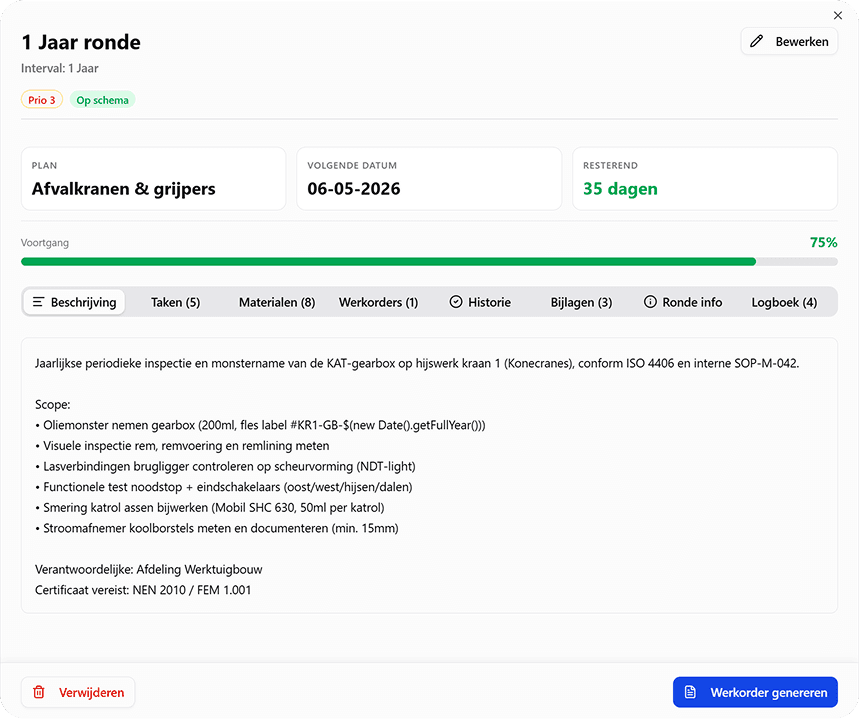
A PM plan bundles the preventive rounds of an asset. A round runs on the calendar, per day, week, month or year, or on run-hours: from the measuring node, or from an hour counter you read by hand. Within the release window TimeQeeper creates the work order itself, or you do it by hand per cycle. Completing the work order moves the round on to the next cycle.
- Tasks, components and attachments per round
- Executed or skipped per cycle, with history
- Status per round: on schedule, due soon or overdue
- PDF of the plan and of every round
A maintenance plan from the manufacturer's manual.
Pick a manual from your documents or upload it. TimeQeeper reads the maintenance schedule and proposes tasks, with interval, steps, safety instructions and materials. Every task shows the page and the quote it came from.
- Rounds on the calendar, or on run-hours from a measuring node or an hour counter read by hand
- If it says '500 hours or 6 months', you choose one or both intervals
- Translate into Dutch; the original is kept
- Compare later: what is in the plan and what is in the manual
Maintenance plan from manual
Feedwater pump 1 · Manual_FW-pump_rev4.pdf
p. 34
7.2 Maintenance schedule
Every 500 operating hours or 6 months, whichever comes first: check the coupling alignment.
Every 2,000 operating hours: lubricate both bearings.
Proposed tasks
- Ready
Check alignment
500 h or 6 mo · p. 34
- Ready
Lubricate bearings
2,000 h · p. 34
- Check article
Replace shaft seal
1 year · p. 35
- Ready
Clean pump casing inside
2 years · p. 36
- 1
Choose the manual
From your documents or newly uploaded. Reading happens in the background.
- 2
Review the proposal
Next to the manual. You adjust titles, intervals and materials or leave tasks out.
- 3
Create the plan
One round per interval, with all tasks of that interval. Materials with a known article, manufacturer or supplier number are linked to your warehouse articles.
- 4
Activate
The plan starts out inactive. Work orders are only created once you activate it.
A contractor's report, turned into action points.
Upload the service or inspection report, or pick it from your documents. TimeQeeper proposes a summary and action points, each with severity, type, page and the verbatim quote from the report. You accept, adjust or reject each point.
- You turn an accepted point into a notification, or link it to existing work
- The status follows the work: open, in progress, done
- Scope check: what the work order contained against what the report says
- Points that also appeared in an earlier report are flagged
- Overview per contractor, with open and handled points
Reports and manuals are read with AI; you review every proposal yourself, next to the source. Read about AI and your data
RPT0000042 · Boiler 1 inspection report
Inspectiebureau Noord · 3 action points · to review
Economiser wall thickness below limit
HighDefectp. 7“Tube row 3, position 12: measured 3.9 mm, below the specified 4.2 mm.”
RejectAcceptLeak at feedwater line flange
MediumDefectp. 4RecurringFlue gas duct insulation damaged
LowSnagp. 9
Then: raise a notification or link to existing work
Plan on calendar and on run-hours.
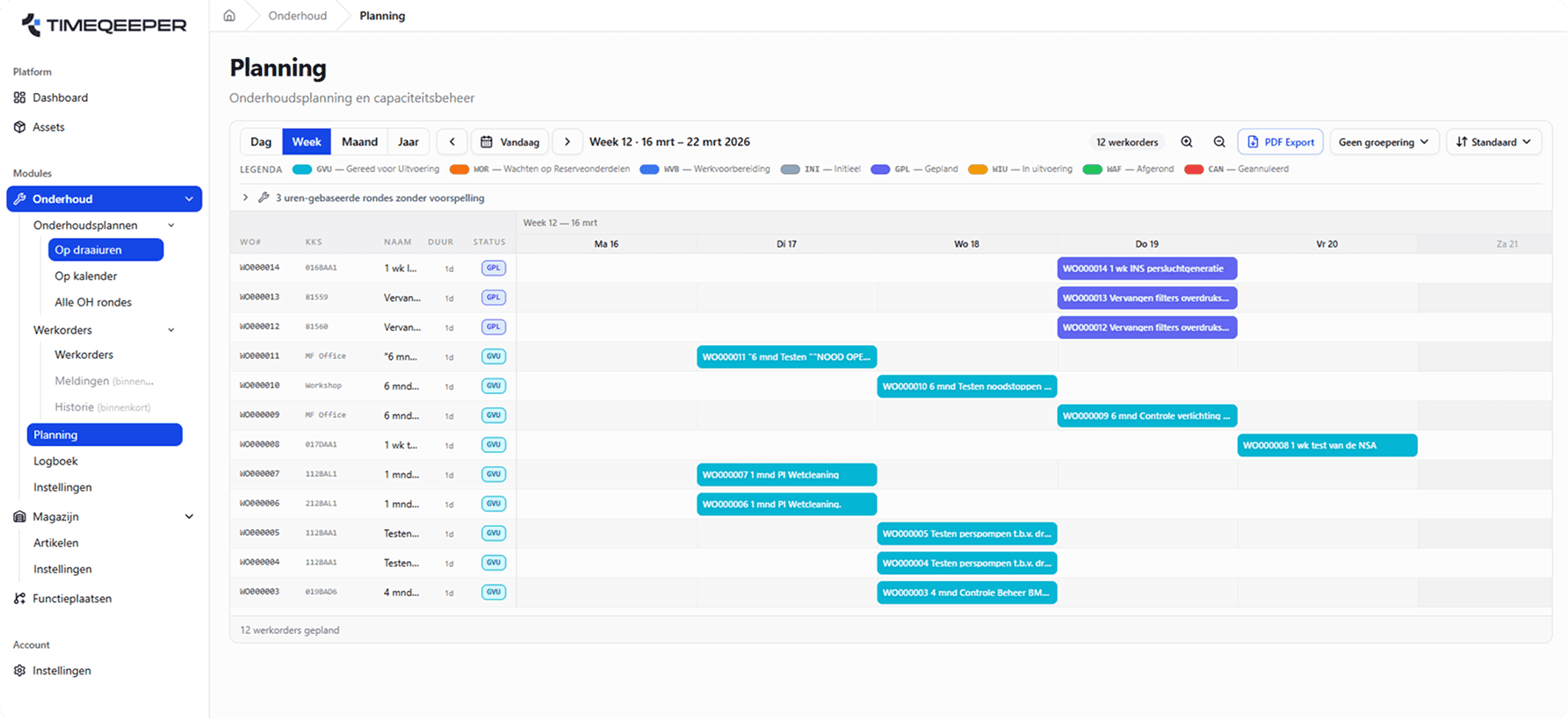
Plan work orders from day view to year view, with your crews' capacity below the timeline. Upcoming calendar rounds appear on the board as a forecast, and automatic planning spreads the work over the free capacity.
- Day, week, month and year views with status legend
- Capacity per resource and group below the timeline
- Upcoming calendar rounds as a forecast on the board
- Automatic planning on free capacity, with a preview first
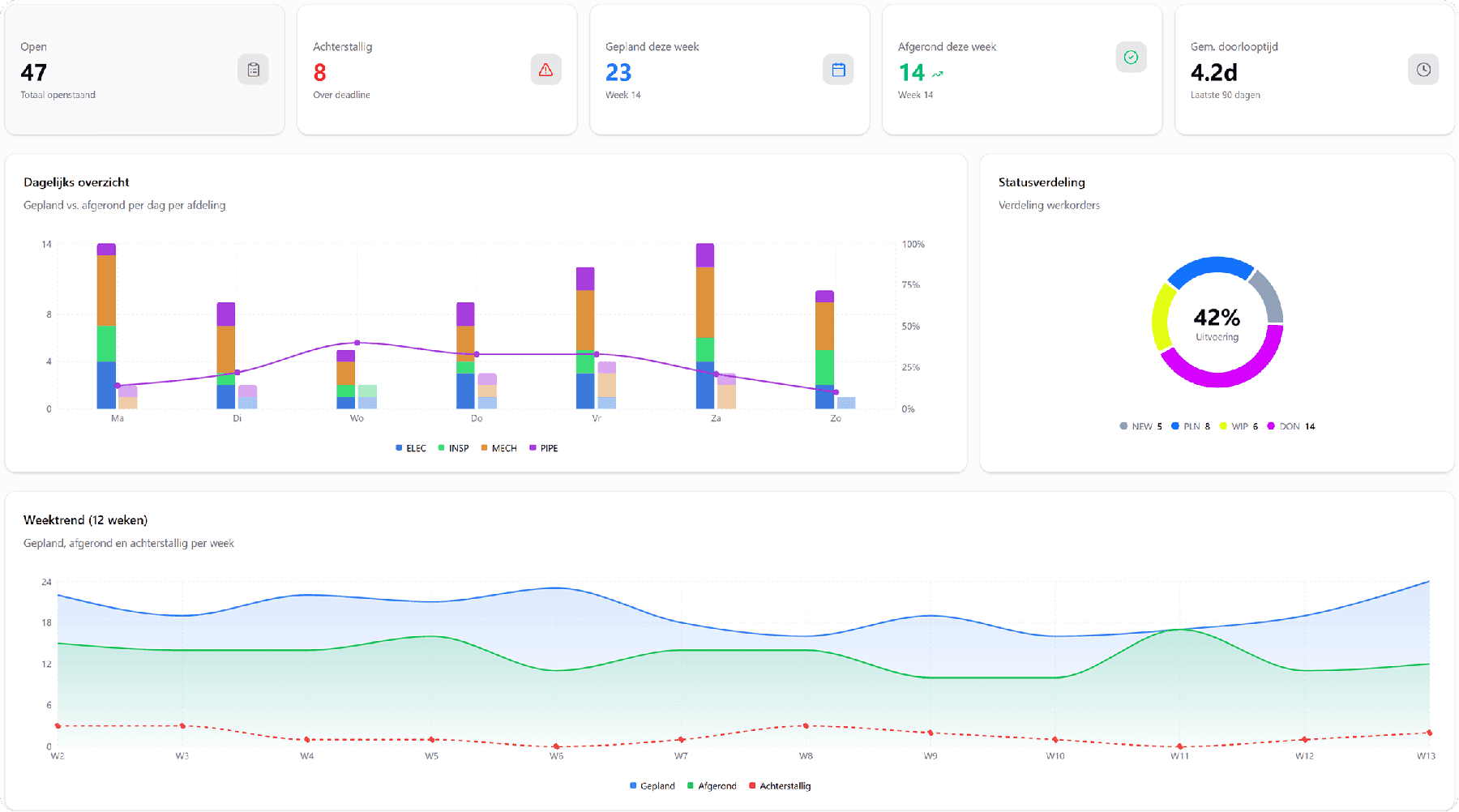
Overview for the team, evidence for the audit.
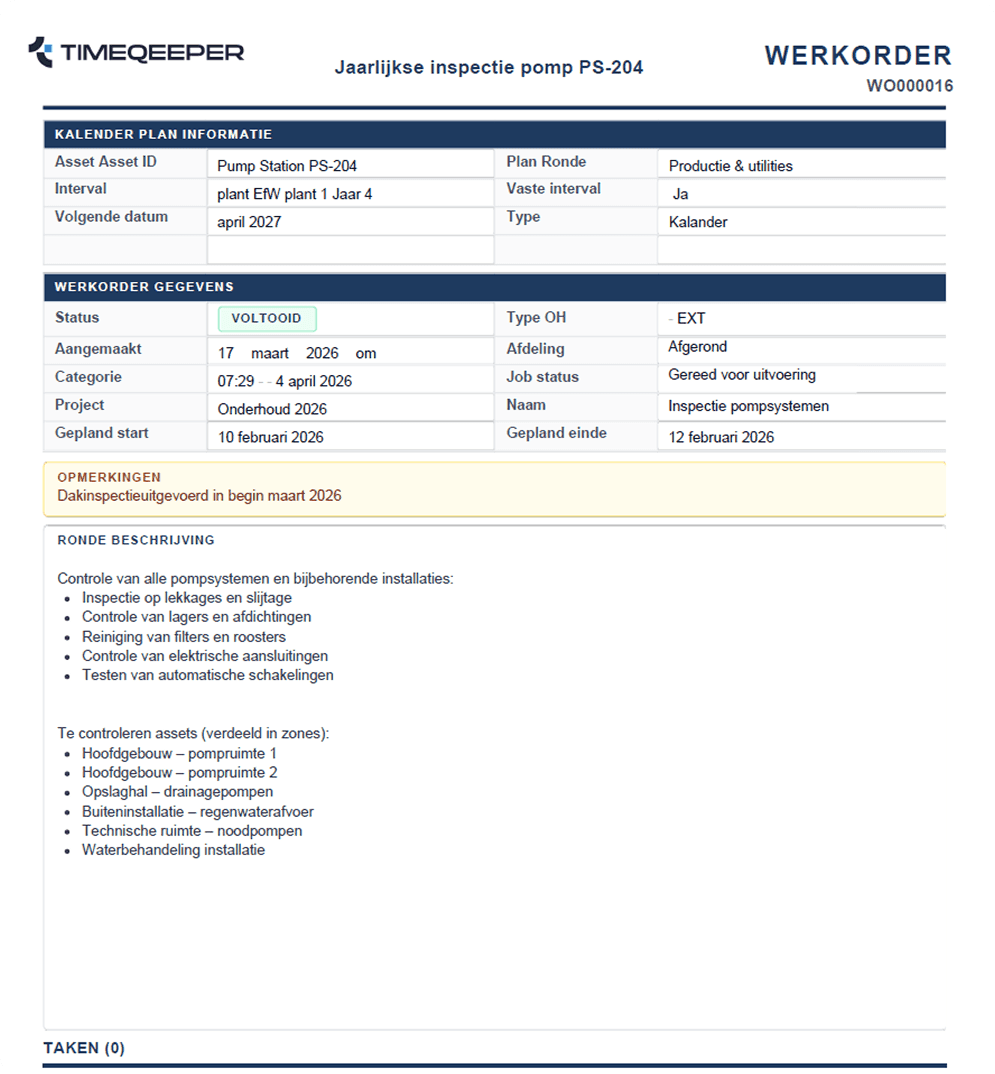
The maintenance dashboard shows open work, overdue orders and the weekly trend at a glance. Work orders export as clean PDFs, with round description, tasks and remarks.
- KPIs: open, overdue, planned and lead time
- Work order PDFs for execution and archive
- Trends per week and per department
Frequently asked questions about maintenance and work orders
Can we plan maintenance on run-hours instead of the calendar?
Either works, and you can mix them. Maintenance rounds run on a fixed interval or on actual run-hours measured by the nodes on the machine. With run-hours the work order is triggered by usage rather than by a date.
How does a notification become a completed work order?
The notification is reviewed and linked to new or existing work. The work order then follows a fixed status flow until it is completed. Every step is visible to the whole team, so nobody has to ask where the work stands.
Can a technician see which materials belong to a task?
Yes. Tasks carry the materials, resources and documents that go with them. Consumption is booked on the job itself, which makes every stock movement traceable back to the task.
How do we keep track of hours and costs?
Per task, the hours per resource are recorded as soon as you start and stop the task. Manual registration is possible too, with an internal or external hourly rate. Labour costs appear next to the work order's budget.
Can TimeQeeper process a contractor's report?
Yes. The report is read and turned into proposed action points, each with page and quote. You review them yourself; you turn accepted points into notifications or link them to existing work.
What can we show an auditor to prove maintenance was carried out?
Work orders export as PDF, including the round description, tasks, work performed and history. On top of that, audit logging records who did what and when.
Ready for more control over your maintenance?
Book a tailored demo. We'll show how TimeQeeper fits your assets, processes and team — and we'll get in touch quickly.