
Build your own KPI dashboard.
Drag widgets onto a grid, pick your data sources — from work orders and run-hours to warehouse and shift logs — and share the result with your team. No BI consultant needed.
Add widget
- KPI
- Bar chart
- Line chart
- Gauge
- Heatmap
- Table
Open work orders
47
-3 vs last week
Availability
Work orders per department
Drag a widget here
Drag, drop, done.
Every user builds their own dashboards on a responsive grid: drag widgets, resize them, and keep multiple dashboards side by side — for example one for maintenance and one for the warehouse.
Drag-and-drop with clean grid alignment
Multiple dashboards per user
Undo and redo while you build
Works on desktop, tablet and mobile
Nineteen widget types, all your platform data.
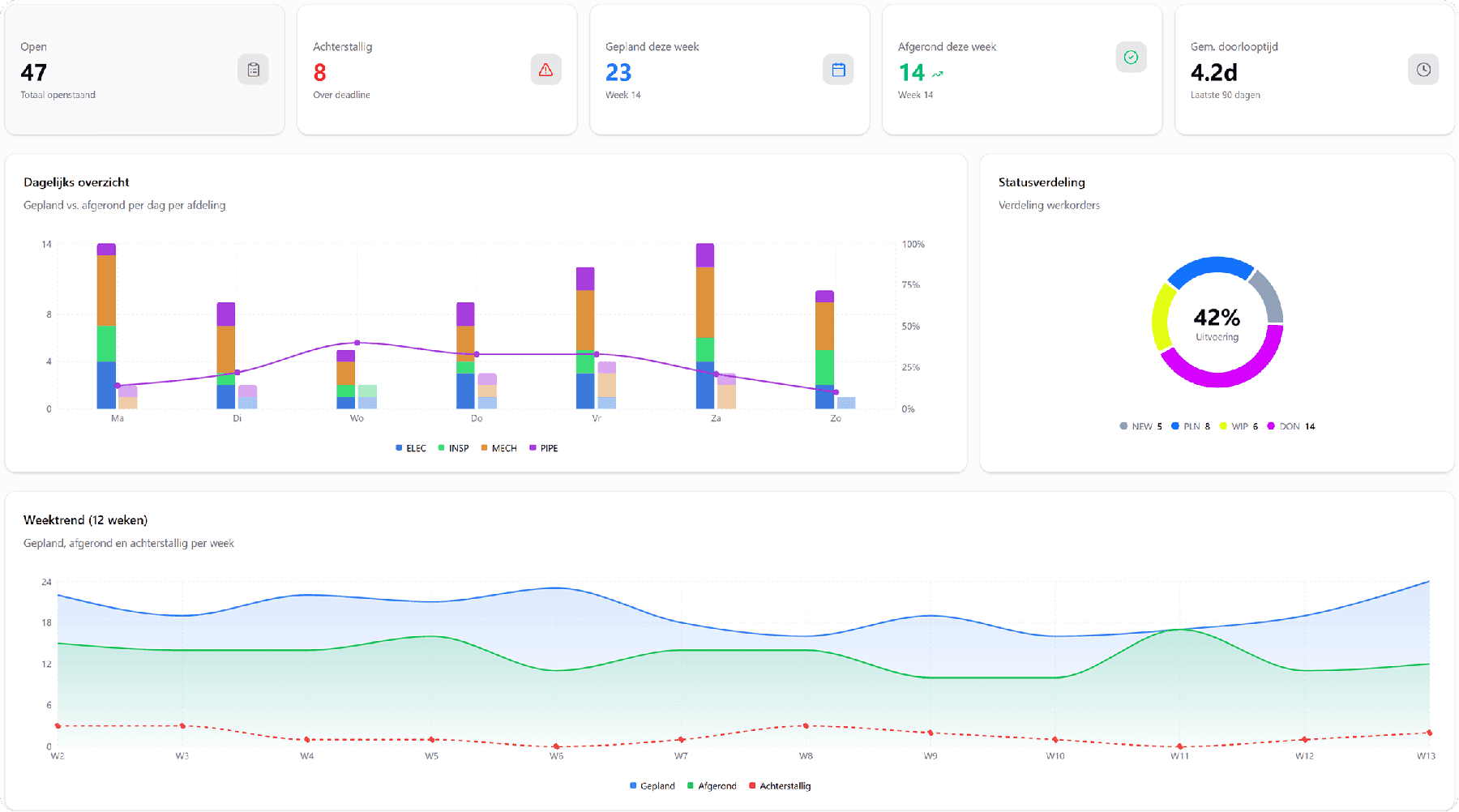
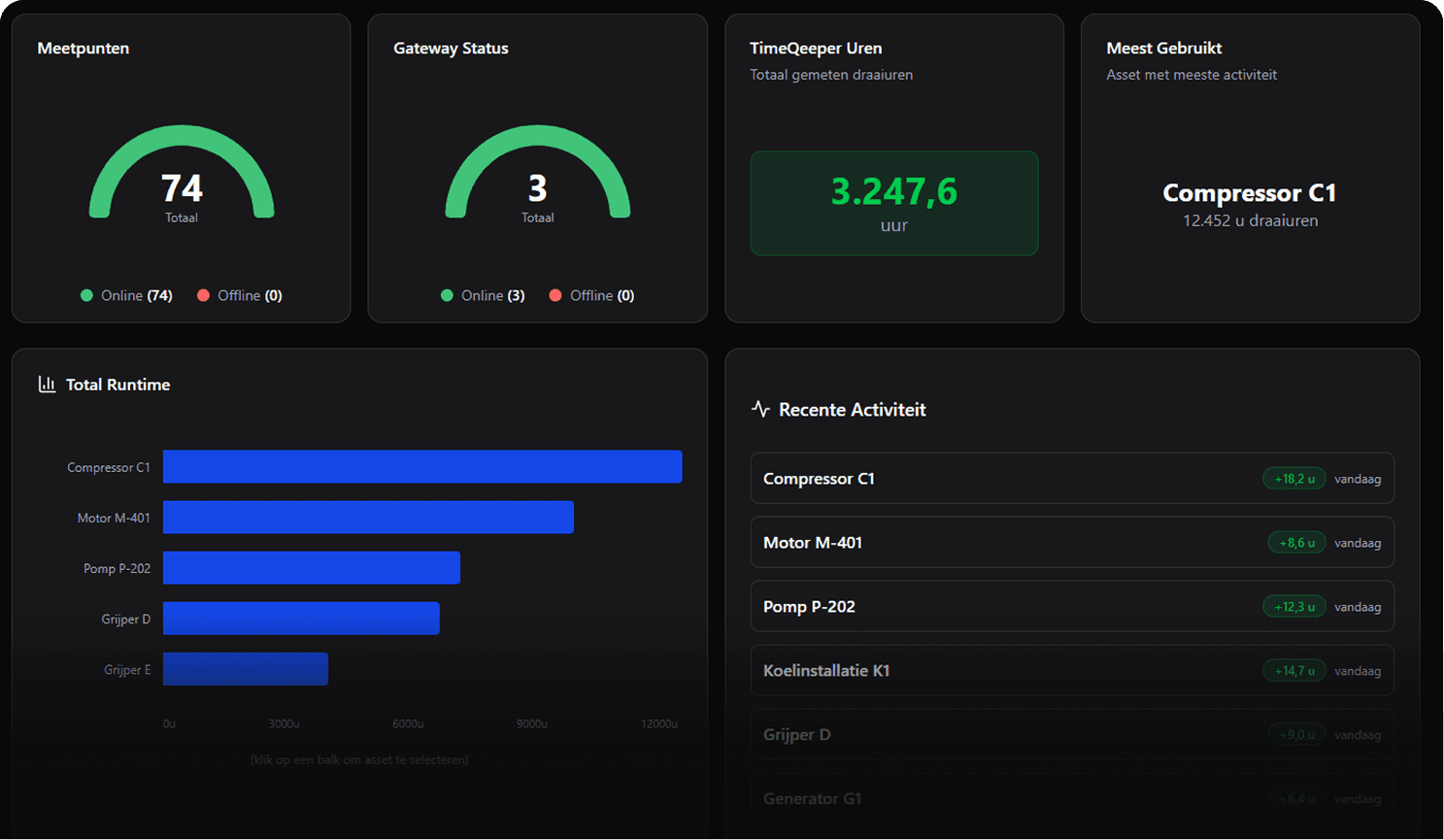
From KPI tiles and gauges with threshold colours to heatmaps, sankey and calendar charts. Every widget shows live platform data — and respects your permissions: you only see sources you have access to.
- KPIs, gauges, bar, line and pie charts, heatmaps, sankey diagrams and tables
- Sources: assets and run-hours, work orders, notifications, warehouse, purchasing, permits, shift logs, planning and FurnIQ
- Per-widget filters with and/or logic, including relative dates
- Your own data from Excel or CSV, up to 250,000 rows per file
Share dashboards with your team.
Share a dashboard read-only with colleagues at the same site. They link it and always see the version you last published; only you change the content. Permissions stay in charge: everyone only sees the data they have access to.
- Read-only sharing with colleagues at your site
- Linked: a new version appears as soon as you publish it
- Permissions govern the data, not the widget
Frequently asked questions about dashboards and reporting
Does IT have to build our dashboards?
No, every user builds their own by dragging and resizing widgets on a grid. You can keep several dashboards side by side, for instance one for daily steering and one for the monthly report.
What kinds of widgets are there?
Nineteen types, from KPI tiles and gauges with threshold colours to heatmaps, sankey diagrams and calendar views. All of them show live data from the platform.
Can we share a dashboard with the team?
Yes, read-only with colleagues at the same site. Whoever links it always sees the latest published version; only the owner changes the content.
Does that mean everyone sees the same figures?
Only as far as their permissions allow. A shared dashboard shares the layout, not the access: everyone sees only the data they are entitled to.
Can we add our own data?
Yes, from an Excel or CSV file of up to 250,000 rows. With each new version you choose whether to replace the data completely, update it on a key column or add it as a snapshot — which also lets you build up a series over time.
Further reading on this topic
Ready for more control over your maintenance?
Book a tailored demo. We'll show how TimeQeeper fits your assets, processes and team — and we'll get in touch quickly.