
Work orders, stock and notifications on your phone.
TimeQeeper Pocket is the app for the shop floor. Scan a barcode at the rack, book a movement or count on the spot and raise a notification at the machine. Everything you book is in the platform immediately.
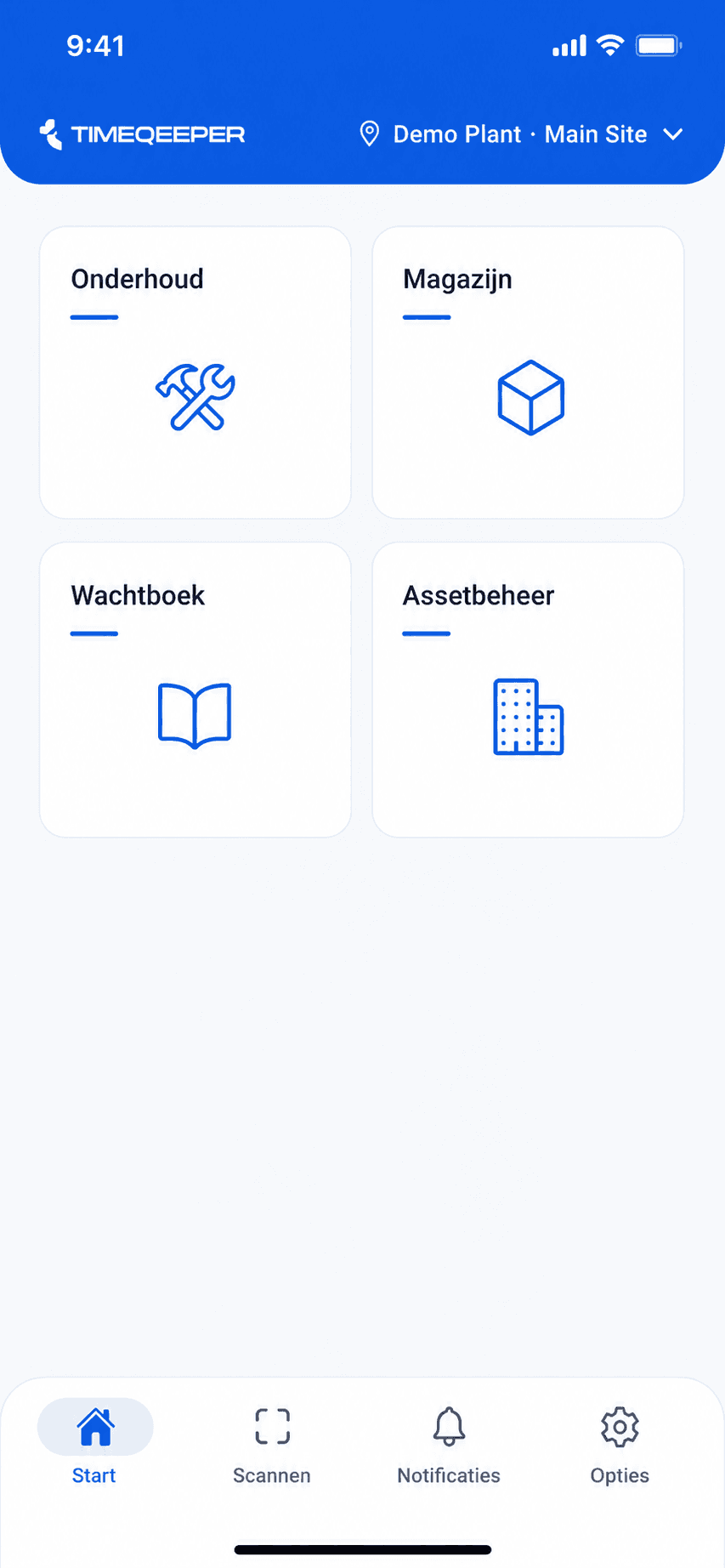
The platform's modules, in the app too.
Which modules you see in Pocket follows your TimeQeeper environment and your role. The app grows along with the platform.
Warehouse
Find and update articles, book stock movements, collect pick lists, run counts, receive deliveries against the purchase order and issue reserved parts.
Maintenance
View, search and filter work orders by status. Read notifications and raise them straight from the job site, with a photo attached.
Shiftlog
Read back shifts with their tasks, crew and shift leader. The handover itself is done in the platform.
Asset management
Browse the structure of positions and assets, with their details and status. For an asset with a sensor you see the run-hours: total, the last 24 hours and 7 days, and per day in a chart.
Planning
Your work list from the plan: your own work or the whole plan, with filters. You mark an activity assigned to you as finished once its hold points have been released.
My hours
Clock in and out, fill in hours per project and hour type, let the client sign on your phone and submit your week. Clock entries and new hours are kept if the connection drops for a moment.
Scan, check, book — at the rack.
Warehouse work is registered at the moment itself, not afterwards at a computer.
- 1
Scan the barcode or QR code
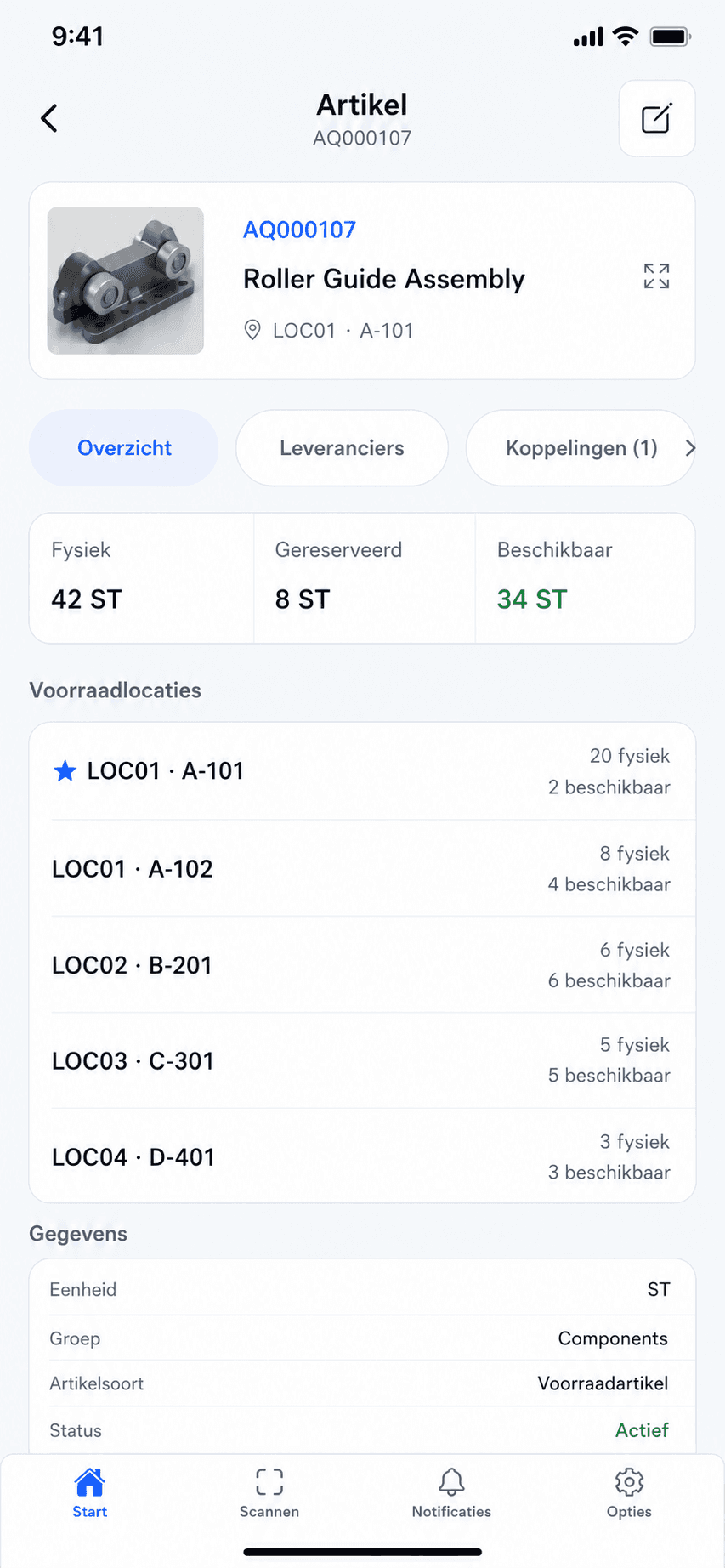
The scanner is a fixed button in the app. One scan opens the article.
- 2
See stock per location
Physical, reserved and available, per warehouse location. You see immediately where the part sits.
- 3
Book on the spot
Movement, count, receipt or pick list line: you book right there and the stock in the platform is updated immediately.
Photograph a part and the app shows the closest matching articles from your catalogue, with a match label per result instead of a score.
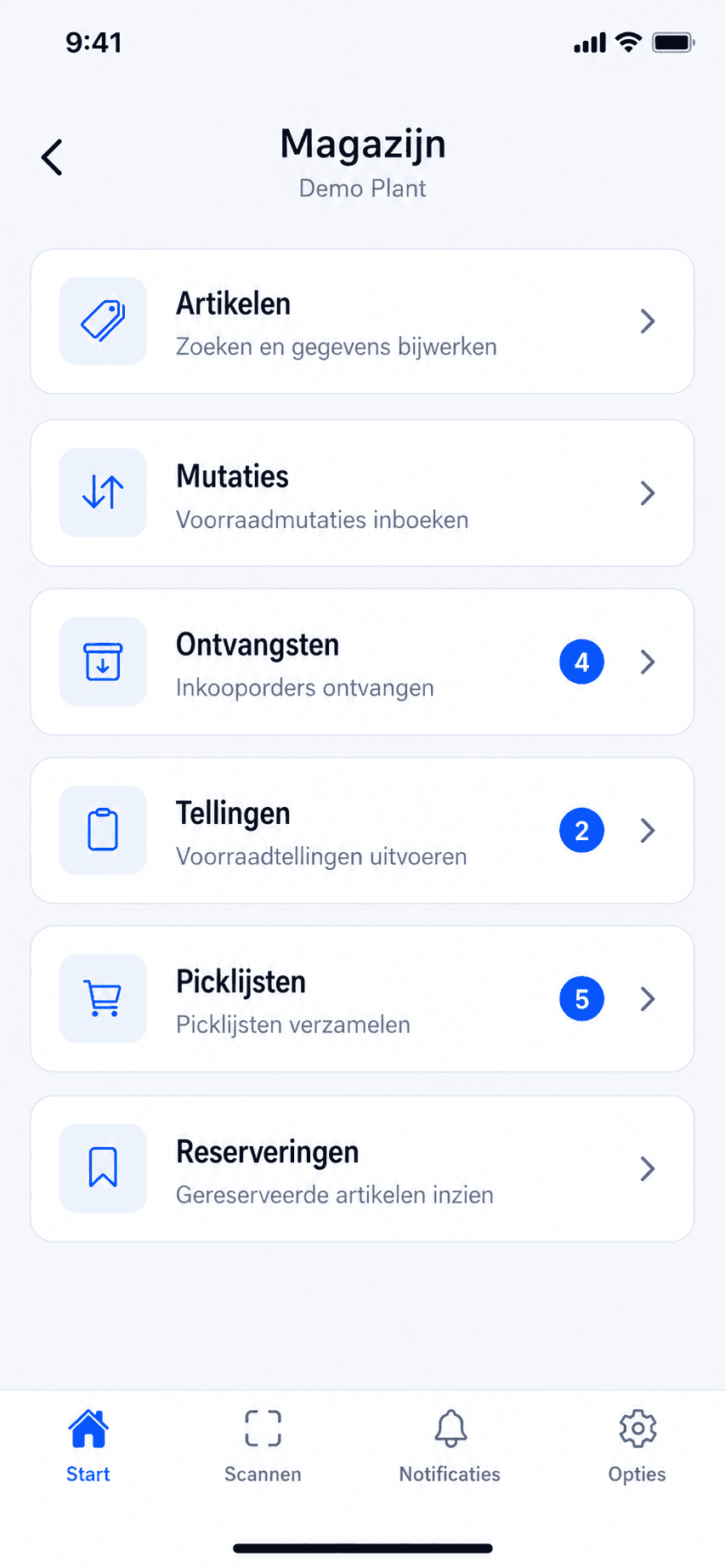
Small things that matter on the floor.
Scanner as a fixed tab
The scanner is always one tap away in the navigation. Scanning a barcode or QR code opens the article directly.
Notifications in the app
Notifications that concern you sit on their own tab, with a number you can refer to.
Multiple environments
If you work for several sites or organisations, you switch environments in the app without signing in again.
Language, theme and text size
Dutch or English, light or dark, and the app scales with large text on your phone.
The same security as the platform.
Pocket uses the roles, permissions and environment configured in the platform. On the device, locking is added on top.
Two-step verification + biometrics
Signing in with your account uses two-step verification; after that you unlock with fingerprint or face recognition.
Permissions follow the platform
Module access and permissions come from your TimeQeeper environment. Per user, per role.
As little as possible on the device
Data is fetched live. The phone keeps only what the app needs, such as cached article images and clock entries still waiting to be sent.
Data within the EU
The same production environment as the platform, with storage within the EU and audit logging on changes.
Frequently asked questions about Pocket
Which phones does Pocket run on?
iOS and Android, in Dutch and English. You download it from the App Store or Google Play; you sign in with your TimeQeeper account, or for My hours with an activation code.
Where does the app get its data?
Live from your TimeQeeper environment. What you book in Pocket is in the platform immediately, and vice versa. The app needs a connection for that; only clock entries and newly entered hours wait on the phone if the connection drops for a moment.
Does everyone see every module?
No. The app shows the modules your organisation uses and your role is allowed to see. You manage that in one place: the platform.
Is Pocket a separate product?
No. Pocket belongs to the platform and runs on the same environment, with the same data and permissions. There is no separate administration alongside it.
Can employees without an account record their hours?
Yes, if your organisation uses Workforce. For My hours an employee signs in with an eight-character activation code that is valid for seven days. No user account is needed for that.
Ready for more control over your maintenance?
Book a tailored demo. We'll show how TimeQeeper fits your assets, processes and team — and we'll get in touch quickly.