
Maintenance software for logistics: from sortation system to forklift.
In a distribution centre, the cut-off and the peak decide when you can touch the installation. TimeQeeper puts conveyors, sorters, forklifts and racking in one structure, with inspections, counter readings and spare parts alongside, so you can plan maintenance around the busy periods and know what is on the shelf when something breaks.
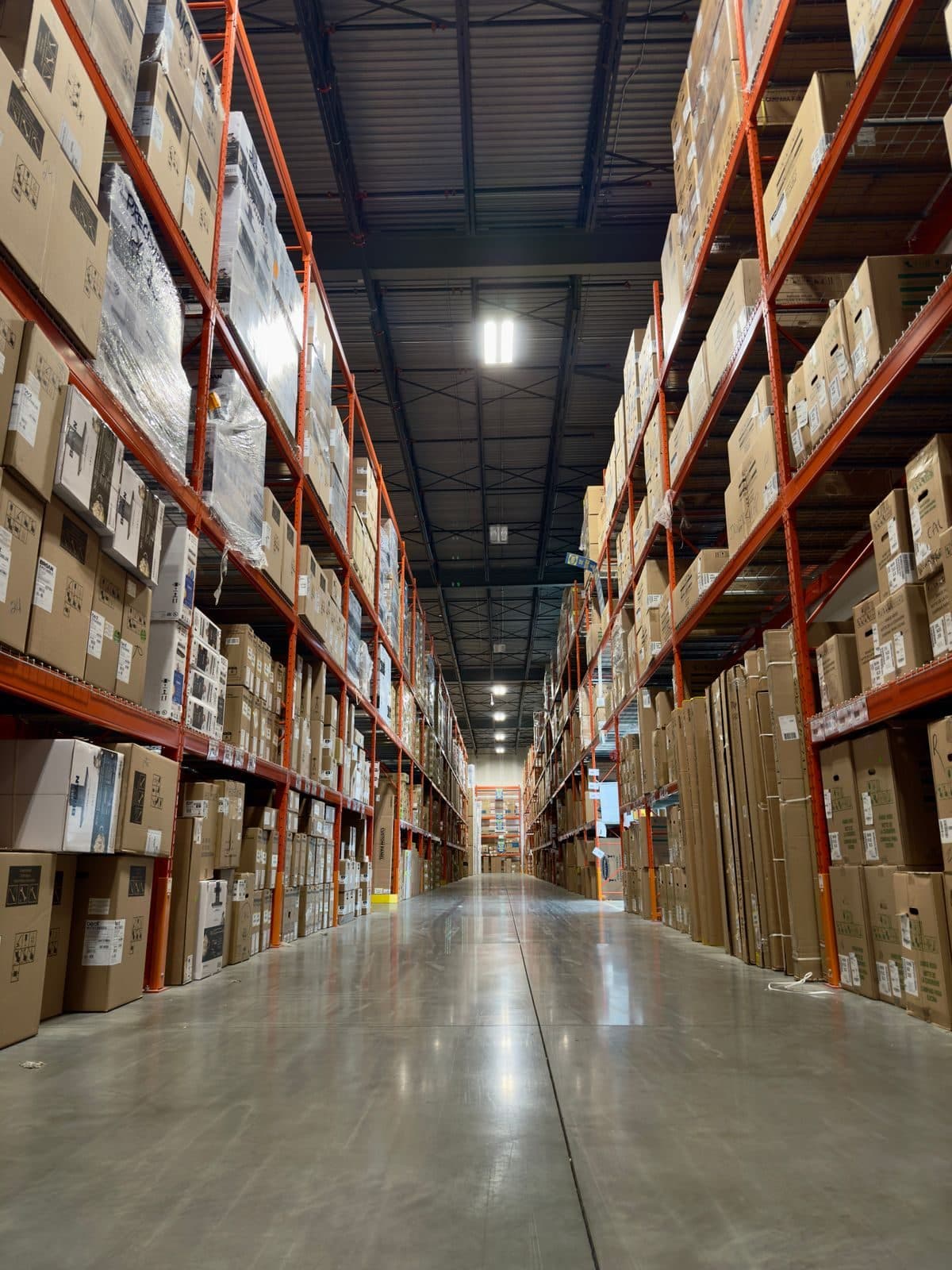
Where a distribution centre feels the pressure.
A sorter or conveyor line is a chain: when one part fails, everything behind it stops. The maintenance window is short and the peak is fixed.
A breakdown just before cut-off
If the sorter is down for an hour just before the last truck, shipments miss their run. At that moment there is no time to look for a drawing or part number, or to find out whether this drive has been replaced before.
Kilometres of near-identical equipment
Drive rollers, photocells, belts and frequency drives appear hundreds of times over. Without a clear place in the system you cannot see which section keeps coming back, and technicians fix whatever happens to break.
The peak does not wait for maintenance
In the weeks around the holidays everything is running and preventive work slips. The forklift's inspection does not move with it, and after the peak a pile of overdue work is waiting on an installation that has been running flat out for weeks.
One structure for conveyors, sorters, trucks and racking.
It starts with a layout people recognise on the floor. After that you can see per section or truck what has been done and what is coming.
Hall, loop and section as positions
The structure follows your building: hall, loop or line, section. On it sit the assets that get maintenance, such as drive stations, sorter units, dock levellers and battery chargers. A label with a QR code on the asset opens the asset record, so a notification lands in the right place.
See asset managementForklifts on their own hour counter
A forklift has an hour counter, so maintenance can run on it. With a counter round you record the readings of the whole fleet, in the system, on paper or in an Excel list. A PM round on that counter releases the work order at, say, 500 hours, or after a year at the latest.
See PM plansRunning hours on the drives
A main line that runs all day wears differently from an overflow line that only joins in at peak. A sensor node in the electrical cabinet picks up through a current sensor or dry contact when the drive runs and how often it starts, so maintenance can follow actual use.
See running hours and monitoringPlanning around the night window and the peak
Mark the peak weeks as a time range on the planning board, so you can see what work falls inside them. In the day view you plan by the clock, down to the half hour, so within the night window too. The capacity below the timeline shows whether the night crew can handle it.
See planningSpare parts you can find quickly
You set a reorder point and minimum per item, see stock per warehouse location, and a scan of the label in Pocket shows where the part is. The replenishment page lists what has dropped below the reorder point or minimum, sorted by urgency and per supplier.
See the warehouseService reports from the system supplier
If part of the maintenance sits with the sorter's supplier, you have the service report read in. AI proposes action points with the quote attached, and you decide what becomes a notification. A scope check sets the report against the work order, and you can see per contractor what is still open.
See contractor reportsGetting the installation ready for peak.
An example for a distribution centre going into its busiest weeks at the end of November.
- 1
September: seeing what falls in the peak
You mark the peak weeks on the planning board. The forecast of the calendar rounds shows which inspections fall inside them. You create those work orders now and plan them ahead of the peak.
- 2
October: walking the fleet
A counter round across forklifts and reach trucks gives the current readings. Trucks that will hit their maintenance limit during the peak are dealt with beforehand, so that work does not land in December.
- 3
Early November: parts and service
You check the critical parts on the replenishment page and request whatever is missing through Purchasing. The sorter supplier's service visit goes on a work order as an outsourced task, so it is on the schedule and in the costs.
- 4
During the peak: breakdowns first
Breakdowns come in as notifications with the stop impact attached, so it is clear what takes priority. Whatever can wait gets a work order without a date and stays in the backlog until the rush is over. Crews hand over through Shiftlog.
- 5
January: looking back
The dashboard shows notifications with downtime per position. Sections that keep coming back get a different round or go into the replacement planning.
You go into the peak knowing what has been done to the installation, and come out with a list of what still needs doing.
Questions from logistics
How often does a forklift need to be inspected?
Article 7.4a of the Dutch Working Conditions Decree sets no fixed interval, only that you inspect as often as its good condition requires. According to the government's Arboportaal, the explanatory notes call once a year a safe minimum. The sector's occupational health and safety catalogue (Arbocatalogus Transport en Logistiek) also asks for a check by the driver, weekly on a dedicated truck and daily if drivers switch. A collision calls for an extra inspection. The annual inspection goes on the truck as a calendar round, the pre-use check as a fixed task per shift.
Do racking and the sprinkler system belong in there too?
Yes, in the same overview. According to the same Dutch catalogue, storage racking is inspected by a competent person at least once a year, and again after any change that affects its strength, with periodic checks for visible damage in between. A sprinkler system required by Dutch law needs an inspection certificate valid for one year. Each becomes a round on the rack row or installation, with the report attached as a document. More in statutory inspections.
Do we have to enter every conveyor section as a separate asset?
No. A section can be a position in the structure, with the asset on it being whatever you want to plan separately and see failures for, such as the drive station. A single roller or photocell belongs in the parts list and the warehouse. Setting up an asset register explains how to make that choice per asset type.
Most of our maintenance sits with the system supplier. What would we use TimeQeeper for?
The orders and the history stay with you, even if the supplier changes. Service reports become action points per asset, the scope check shows what was done against what the work order said, and you can see per contractor what is open. That gives you something to base the service contract discussion on.
Does the sensor node work on conveyors and sorters?
Yes. The node usually goes in the electrical cabinet and looks at the motor's current or at a dry contact. Nothing structural has to change on the installation. Which drives are worth it is something you look at per line; forklifts follow their own hour counter through a counter round.
How do we get everything in without disturbing operations?
A list of installations, trucks and racking in Excel is read in during setup, so operations do not have to stop for it. Begin with the sortation system where a breakdown hits hardest and with the forklift fleet, because those rounds are quick to set up. Labels go on bit by bit, during ordinary maintenance rounds outside the peak.
Ready for more control over your maintenance?
Book a tailored demo. We'll show how TimeQeeper fits your machines, way of working and team, and we'll get in touch quickly.