
From notification to completed work order — in one flow.
The complete maintenance process in one place: notifications, work orders, tasks, planning and history. Everyone sees the same, current state — from work preparation to completion.
Every step of the work, provably managed.
Work orders follow a clear status flow — from initial and work preparation to execution and completion. Tasks contain everything the technician needs: materials, resources, instructions and attachments.
- Tasks with materials, resources and costs
- Attachments and instructions with the job
- Full audit trail per work order
- 1
Initial
- 2
Work preparation
- 3
Planned
- 4
Ready for execution
- 5
In progress
- 6
Completed
Including special states such as 'waiting for spare parts' — keeping the planning honest.
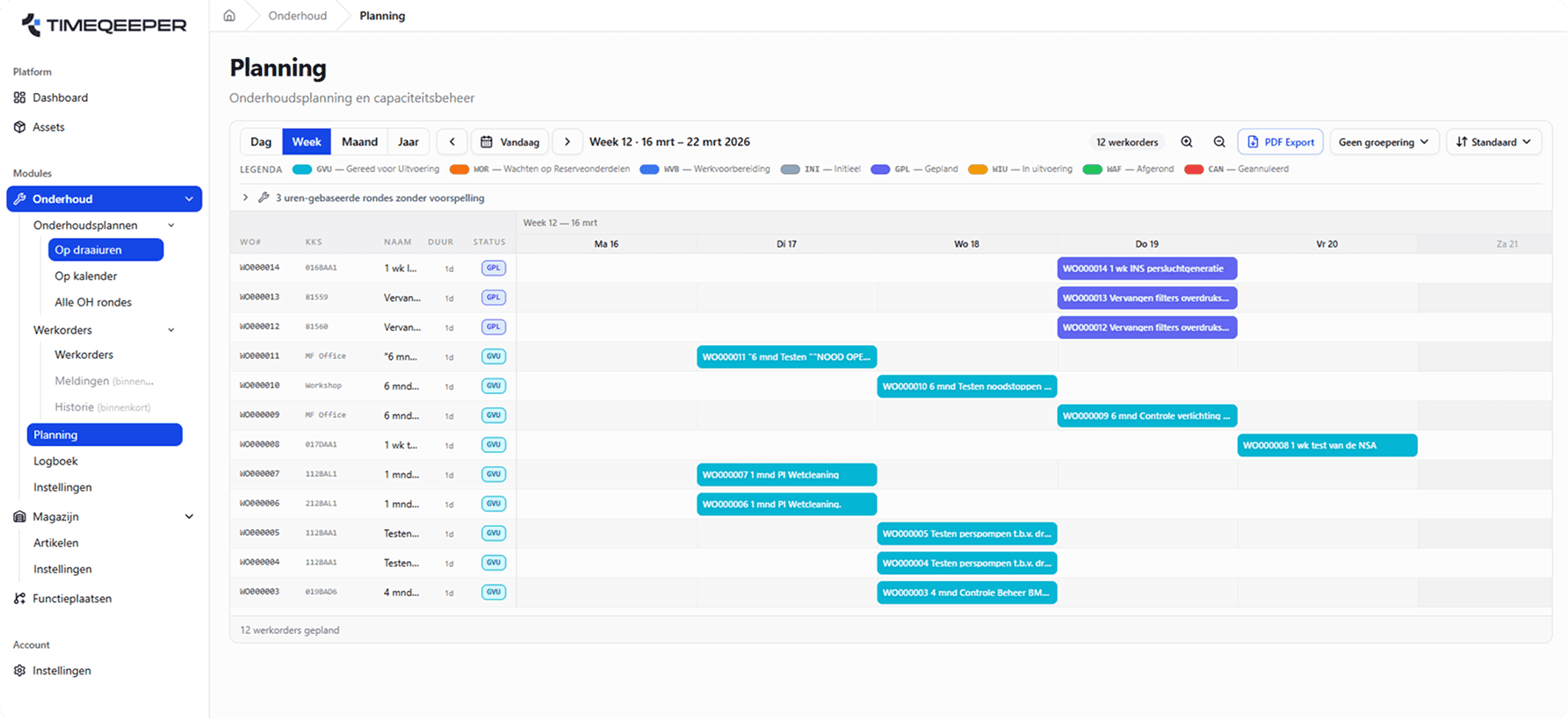
Plan on calendar and on run-hours.
Plan work orders per day, week or month with your team's capacity in view. Maintenance rounds run on fixed intervals or on actual run-hours — and the planning exports to PDF.
- Day, week and month views with status legend
- Rounds on calendar or on run-hours
- PDF export and flexible grouping
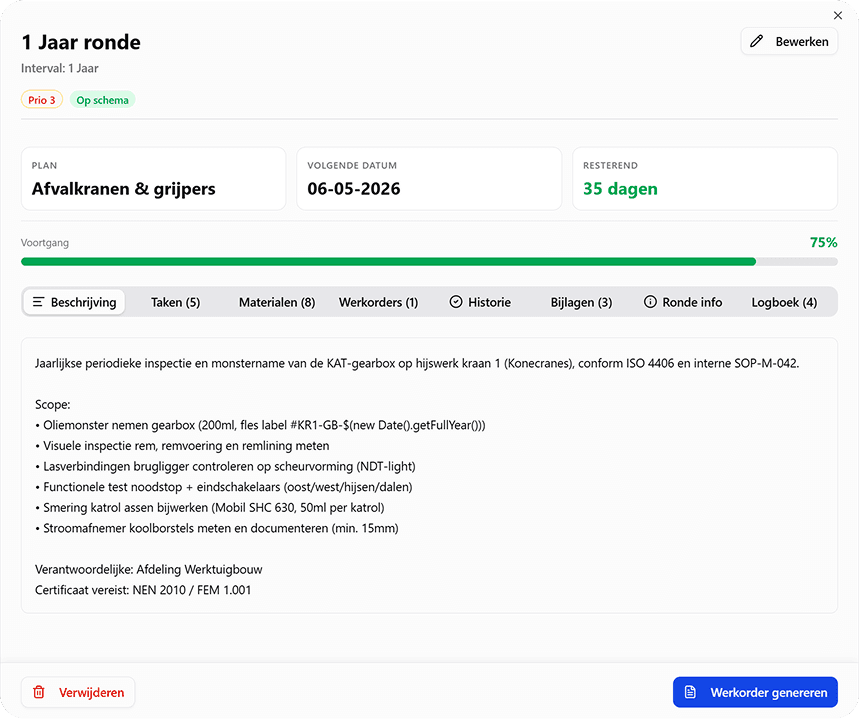
Maintenance rounds with everything attached.
Each round bundles tasks, materials, work orders, history and attachments — with progress and a logbook. An annual inspection becomes a repeatable, provable process instead of a loose action.
- Tasks, materials and work orders per round
- Progress, days remaining and priority
- History and logbook kept automatically
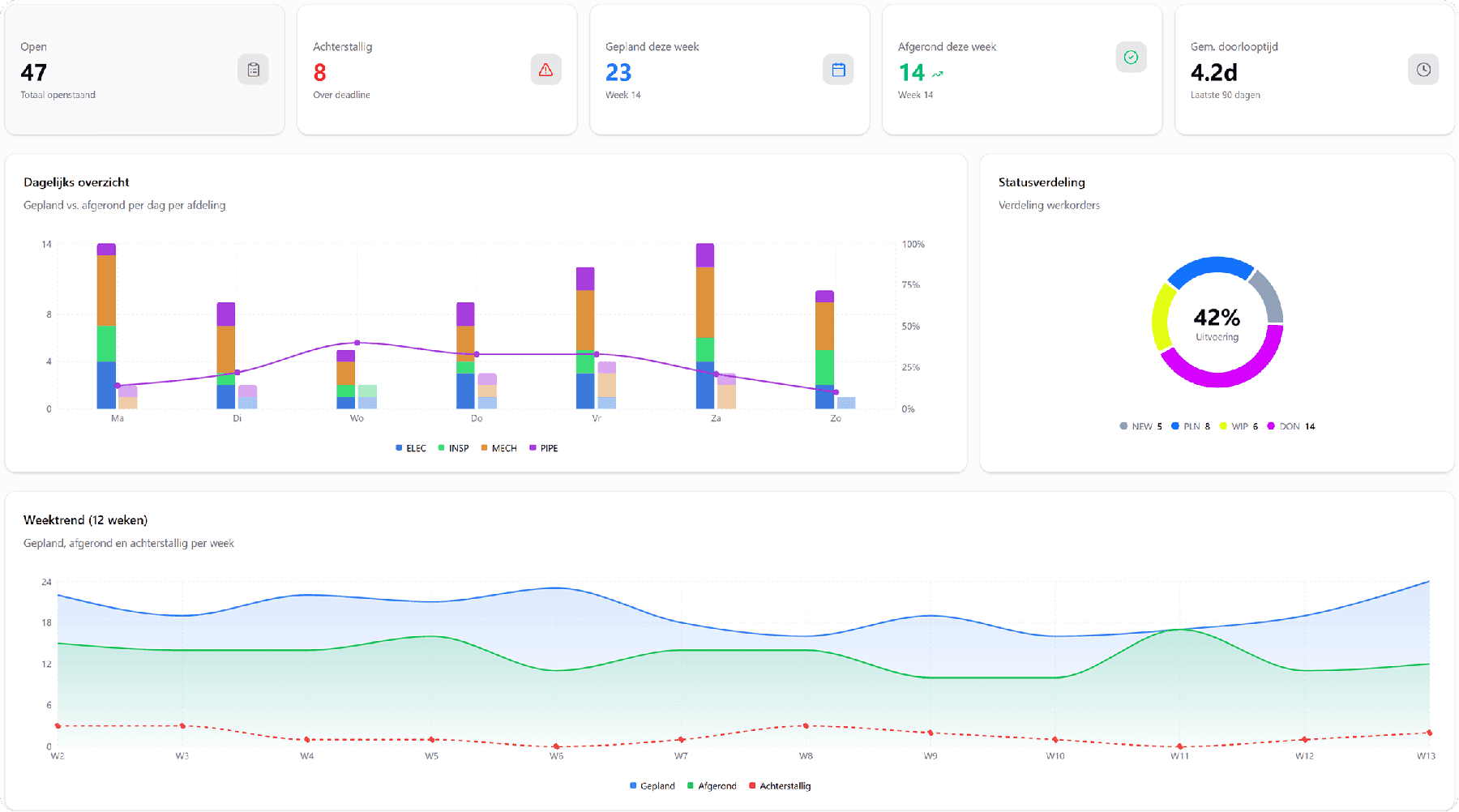
Overview for the team, evidence for the audit.
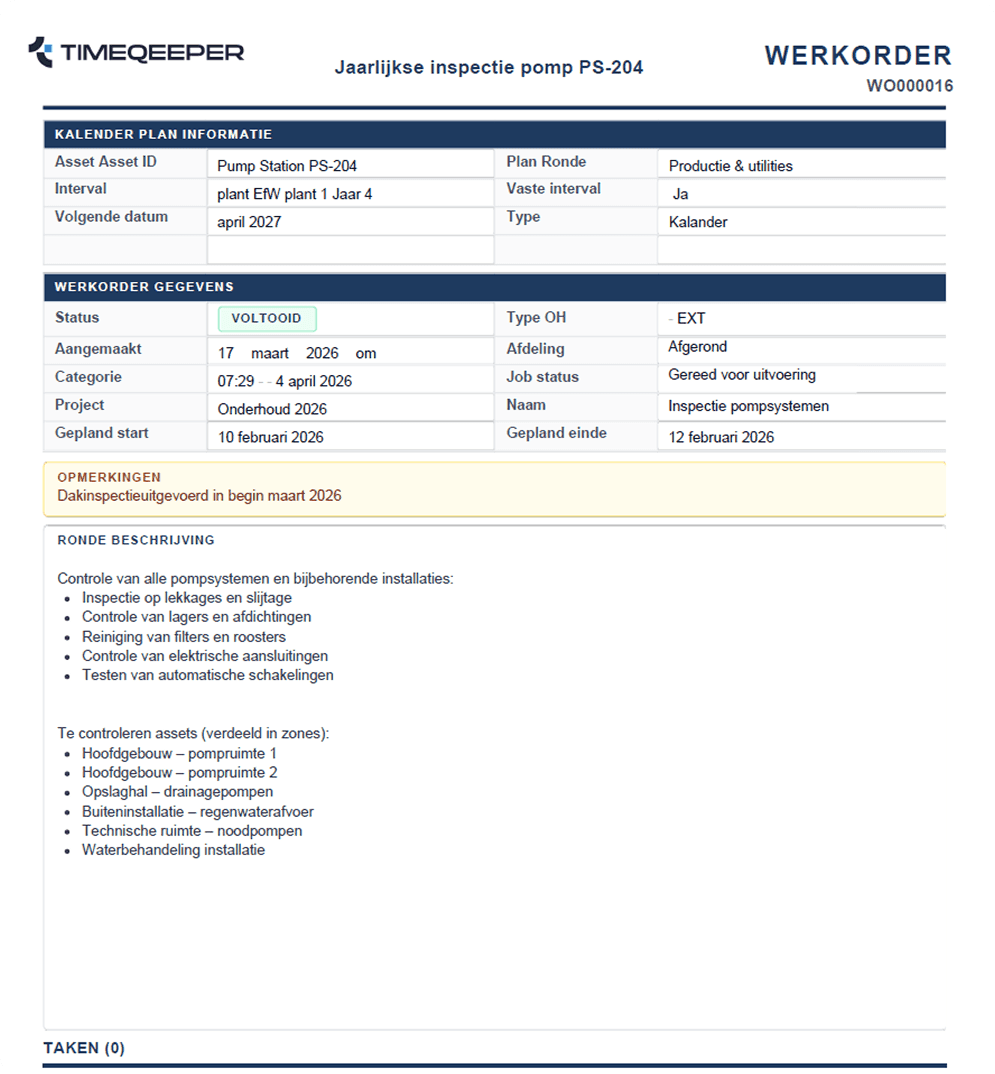
The maintenance dashboard shows open work, overdue orders and the weekly trend at a glance. Work orders export as clean PDFs — with round description, tasks and remarks.
- KPIs: open, overdue, planned and lead time
- Work order PDFs for execution and archive
- Trends per week and per department
Ready for more control over your maintenance?
Book a tailored demo. We'll show how TimeQeeper fits your assets, processes and team — and we'll get in touch quickly.